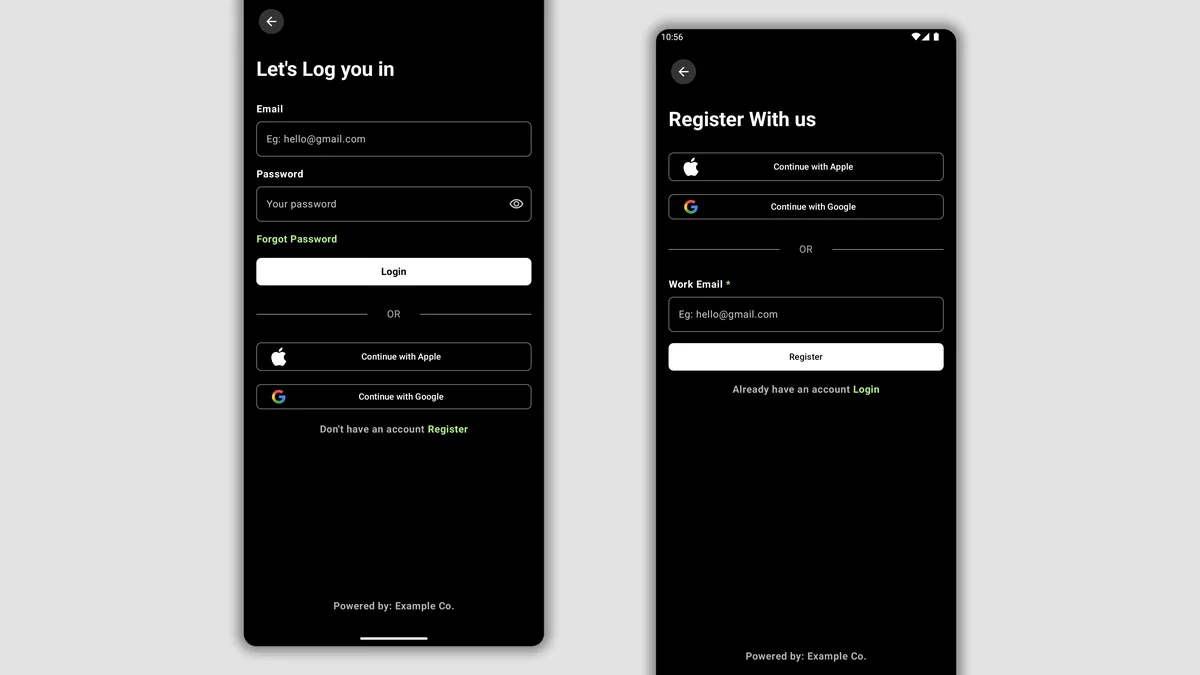
Signing up for an online casino or cricket exchange takes barely two minutes, which tempts many new players in Bangladesh to rush through the form with a casual handle like 'DhakaKing99' inside the full-name field or borrow a friend's SIM card for OTP verification. That haste costs nothing during deposit—cashiers gladly accept inbound bKash and Nagad transfers in seconds—yet turns into a stubborn compliance wall the first time you attempt a 10,000 BDT cashout. To document exact onboarding validation rules, we walked through a complete tk10 register cycle from Uttara, Dhaka on a fresh Robi 4G connection, timing SMS verification latency and testing how currency locking, real-name matching, and promotional opt-ins behave inside the cashier. Follow these baseline checks once at creation so your account stays clean from day one through high-limit withdrawals.
Why Exact Legal Name Alignment Matters Before Your First Deposit
Under standard anti-money-laundering (AML) controls enforced by international platform processors, outbound MFS transfers cannot flow to third-party wallets. If your registration profile reads 'Rashedul' while your bKash account KYC is registered under 'Md. Rashedul Islam', automated reconciliation pauses the payout ticket and routes it to manual review.
During signup, copy your full given and family name letter-for-letter from the English line of your Bangladesh National Identity Card (Smart NID) or e-Passport. Avoid middle initials unless they appear on your NID, skip decorative symbols, and never register under a spouse's or brother's phone number thinking you will update it later. Most portals lock the primary registered legal name after your first deposit settles, requiring full document uploads to KYC verification analysts to correct even a spelling slip.
Selecting BDT Currency & Avoiding Irrevocable FX Traps
One subtle trap on multi-region signup screens sits in the currency dropdown. While Bangladesh geolocation usually pre-selects Bangladeshi Taka (BDT), browser VPN extensions or cached English-US locale flags occasionally default the dropdown to USD or USDT. Submitting the form under USD locks that profile permanently—support teams rarely permit post-signup currency switches without closing the account.
Keeping the wallet natively in BDT eliminates hidden foreign-exchange leakage. When you send 1,000 BDT via Nagad or DBBL Rocket into a native BDT ledger, your playable balance reads exactly 1,000.00 BDT with zero spread. Only players who specifically plan to fund high-volume sessions via stablecoins should consider USDT wallets, which we analyze separately inside our USDT TRC-20 banking review.
Single-Account Rule Across Households & Shared Wi-Fi
Registration systems inspect device fingerprints, IMEI/WebView hashes, and public IP addresses. If two family members living on the same Dhaka apartment broadband wish to play independently, do not share one smartphone, never cross-fund from the same bKash wallet, and notify customer support beforehand to document separate NID identities.
Worked Math: True Cost of Unplanned Bonus Opt-Ins & Mismatched Wallets
During registration, many forms present a pre-checked promotional box or promo-code field offering a 100 percent first-deposit match. Let us calculate the real math before accepting it. Suppose you deposit 1,500 BDT and receive a 1,500 BDT bonus carrying a 15x wagering requirement on Deposit + Bonus. Your required turnover equals (1,500 + 1,500) x 15 = 45,000 BDT before a single Taka becomes withdrawable. If you prefer live tables or cricket betting where contributions drop to 10 or 20 percent, that 45,000 BDT target stretches to 225,000+ BDT in real wagers!
Compare that to opting out of the deposit lock when you want liquidity, or choosing a bonus deliberately after reading our wagering requirements calculator. Similarly, consider wallet mismatch math: depositing 2,000 BDT from an unverified shop agent or friend's MFS wallet triggers a mandatory 1x turnover penalty plus up to 72 hours of ownership verification—meaning a simple shortcut at registration turns instant 12-minute bKash payouts into a three-day ticket dispute.
| Signup Field | Required Format | Can Edit Later? | Compliance Impact |
|---|---|---|---|
| Username | 6–14 lowercase alphanumeric chars | No (Permanent) | Used for fast non-OTP sign-in |
| Password | 8–20 chars (letters + digits + symbol) | Yes (via OTP/Support) | Protects BDT wallet from stuffing bots |
| Account Currency | BDT (Bangladeshi Taka) | No (Locked on submit) | Prevents double FX conversion spread |
| Mobile Number | +880 + 10 digits (e.g. 18xxxxxxxx) | Only via NID review | Receives OTP & links MFS wallet |
| Full Legal Name | Exact Smart NID English spelling | Requires KYC upload | Must match bKash/Nagad holder name |
| Promo / Referral Code | Optional opt-in flag | Cannot add post-deposit | Triggers welcome rollover rules |
Six-Step Clean TK10OK Registration Workflow
- Confirm Verified Official Endpoint
Reach the signup form exclusively via an audited partner link or verified mirror with active HTTPS encryption.
- Verify Currency Reads BDT
Check the currency selector before typing anything else and confirm Bangladeshi Taka (BDT) is locked in.
- Create Unique Non-Reused Credentials
Pick an alphanumeric username and a fresh 12-character password never used on Gmail, Facebook, or MFS apps.
- Enter Personal +880 SIM & Legal Name
Drop the leading zero after +880, use a SIM registered to your own NID, and spell your full name exactly as printed on your Smart NID.
- Evaluate Bonus Opt-In Math First
Decide deliberately whether you want a rollover-locked welcome match or prefer unrestricted cash play before ticking promo boxes.
- Verify OTP & Run a Small Test Deposit
Confirm your SMS verification code within the 90-second window and validate cashier routing with a modest starter MFS deposit.
Phone OTP Verification Across BD Mobile Operators
Once your username, strong password, and +880 number pass initial form validation, the portal fires an SMS verification code—or prompts you to bind your mobile number immediately upon first dashboard entry. Keep Do-Not-Disturb (DND) SMS blocks cleared on your handset if you previously enabled operator promotional filters, because certain domestic bulk-SMS shortcodes share routing pipes with transactional alerts.
If the first code does not ring within 45 seconds, verify signal bars (weak indoor LTE inside concrete Dhaka basements often delays incoming SMS until the radio re-registers) and wait a full 90 seconds before clicking Resend. Once verified, avoid cycling SIM cards frequently; keeping your primary registered SIM active ensures instant receipt of withdrawal confirmation codes and password resets.
First-Login Security Hardening Before Funding Your Wallet
After landing inside your brand-new dashboard, resist rushing straight into 777 slots or live cricket markets. First, save your credentials cleanly in your device keychain, verify that your email address (optional on mobile-first forms, yet critical as an account recovery backup) is verified via link, and confirm whether your withdrawal PIN or security question needs activation.
Second, start small on deposit #1. Sending an initial 100 BDT to 500 BDT micro-test via low-limit MFS rails confirms end-to-end TrxID posting on your fresh profile before committing larger weekend stakes. Finally, establish a hard weekly deposit cap inside responsible gaming controls right away so entertainment spending stays strictly budgeted.
Responsible Gaming & 18+ Player Safeguards
Online casino play and cricket wagering are strictly restricted to adults aged 18 and older in Bangladesh. Before loading your BDT balance via bKash, Nagad, or Rocket, establish a weekly entertainment ceiling that never touches rent, education fees, or household savings.
Practical pre-commitment discipline includes activating daily deposit caps inside your account cashier, using session time alerts every 45 minutes, and requesting a 24-hour to 6-month self-exclusion cooling period across desktop and mobile app logins whenever a session feels frustrating.
For confidential international support and structured self-assessment tools, consult GamCare or Gambling Therapy.
Key Takeaways & Next Action
Completing a clean tk10 register workflow takes under three minutes when you align your NID name, personal +880 SIM, and native BDT currency lock upfront. Once your account is active, jump to our step-by-step bKash deposit walkthrough or inspect welcome bonus terms so you know every rollover figure before staking.
Frequently Asked Questions
How do I create a TK10 account in Bangladesh safely?
Open an authenticated TK10OK registration form, confirm BDT is selected as account currency, create a unique password, enter your personal +880 mobile number (10 digits without leading zero), type your exact Smart NID legal name, and verify via SMS OTP.
Can I register without uploading my NID card immediately?
Yes, initial account creation normally requires only your +880 mobile OTP and basic details. However, full Smart NID and MFS ownership verification may be requested before processing larger BDT withdrawals or resolving security alerts.
What happens if I choose USD instead of BDT during TK10 registration?
Account currency is permanently locked after form submission. Choosing USD forces your local bKash or Nagad Taka deposits through conversion rates on every transfer, so verify BDT is selected before submitting.
Can my brother and I both register TK10 accounts on the same Wi-Fi?
Sharing the same home broadband IP, handset, or bKash wallet across two accounts frequently triggers duplicate-account bonus locks. Each adult should use their own device, personal SIM, personal MFS wallet, and complete independent KYC verification.
Why did I not receive my registration OTP on Banglalink or Grameenphone?
Check that your phone is not blocking promotional/transactional shortcodes via operator DND settings, verify strong indoor 4G signal, wait a full 90 seconds, and ensure you omitted the leading zero after +880.
Is it mandatory to claim the welcome bonus during registration?
No. Claiming a first-deposit welcome match is optional. Players who want immediate withdrawal flexibility without 10x to 25x turnover requirements often skip bonus opt-ins and play strictly with cash balance.