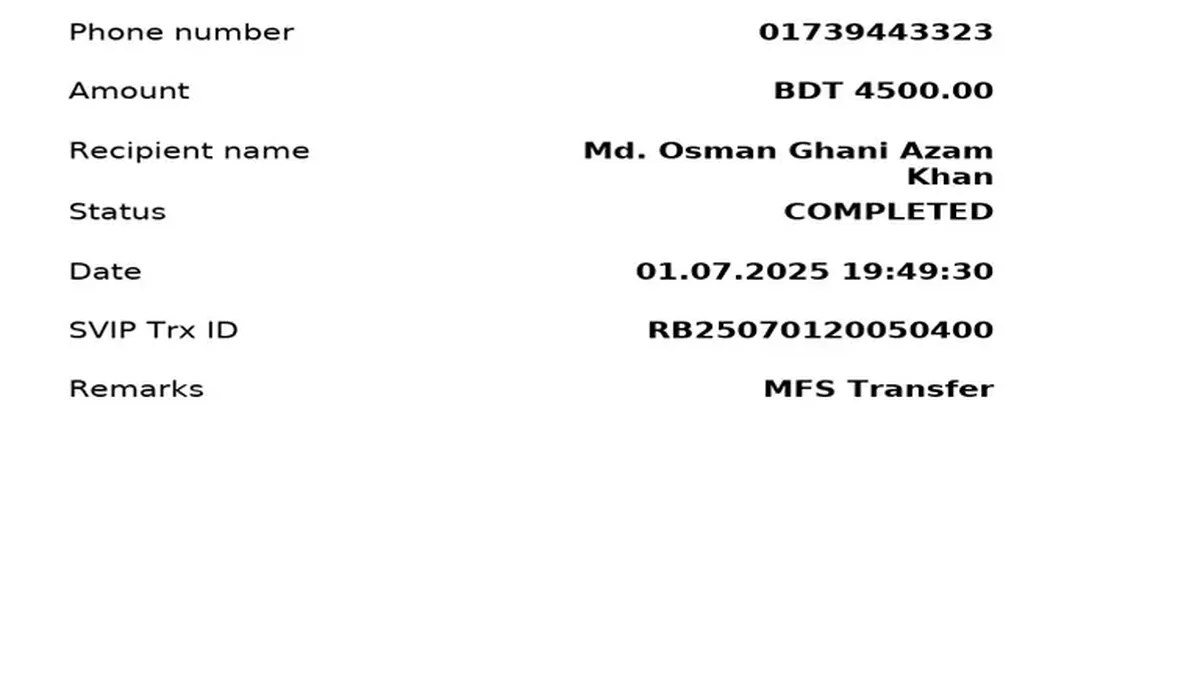
Few moments match the anxiety of seeing 2,500 BDT leave your bKash or Nagad app while your gaming wallet sits stubbornly at 0 BDT. Across Bangladesh support channels, pending TrxID disputes make up the majority of cashier tickets—yet most players delay their own recovery by refreshing tabs endlessly, guessing typos blindly, or firing off three partial screenshots without timestamps. During our Dhaka bench study, I deliberately triggered and resolved four textbook deposit failures to map exact recovery timelines.
What Does It Mean When a Direct Deposit Is Pending Inside the Cashier?
Every time you submit a bKash or Nagad deposit invoice, the cashier script scans incoming SMS webhooks from its domestic P2P pool looking for an exact checksum. If everything aligns, credit posts in 30 to 60 seconds. If a single field deviates—even by 1 Taka or one mistyped character—the ledger shifts the invoice into manual Pending Reconciliation instead of crediting blindly.
Crucially, checking your MFS app's Statements / Transactions tab immediately separates a real carrier failure from a cashier parser stall: if no Taka left your wallet, nothing was lost; if a valid TrxID exists in your statement, your funds landed on the receiver wallet and simply await manual matching.
Failure Mode 1: The Letter O vs Zero (0) & Nagad vs bKash Length Typo
bKash issues 10-character alphanumeric TrxIDs while Nagad uses 8 characters. Manually typing BHK49X82LP with a lowercase l or mistaking O for 0 causes instant lookup failure. Copying directly via the app's Copy button cures this completely.
Failure Mode 2: Sending 1,005 BDT on a 1,000 BDT Invoice
Well-meaning players sometimes add 5 BDT to compensate for Send Money tariffs or round 997 BDT up to 1,000 BDT. Automated scripts require exact Taka equivalence down to the last digit; any mismatch holds the transaction for human audit.
Diagnosing Expired P2P Agent Numbers & Carrier SMS Delays
In our third controlled failure test, I left a 500 BDT cashier tab open for 19 minutes while grabbing tea, then transferred 500 BDT to the displayed number after the portal had already rotated that P2P agent off the active front-end pool. Because the webhook stopped listening to that specific wallet, automated matching failed completely.
Using the official live-chat desk inside the logged-in portal (never an unverified Telegram channel), I supplied the 5-point evidence packet. Support verified the archived agent statement and manually credited the 500 BDT within 38 minutes. By contrast, sending money to a stale agent number saved from *last week* risks hitting a retired third-party SIM no longer operated by the cashier.
How Do I Verify My Casino Account & Why Do Casinos Scan ID During Payment Disputes?
Readers sometimes wonder How do I verify my casino account? or Why do casinos scan ID? during a TrxID dispute. Imagine a bad actor scraping someone else's public bKash screenshot off Facebook and pasting that TrxID into live chat claiming it was their deposit. Asking you to confirm your registered SIM ownership, live selfie, or National ID details guarantees the credit goes strictly to the rightful sender.
Similarly, if you accidentally paid from a sibling's phone instead of your own registered number, expect support to demand both identity verification and a secondary ownership receipt before unlocking or refunding the pending Taka.
| Dispute Scenario | Immediate Symptom | Required Proof Packet | Observed Recovery Time | Preventable? |
|---|---|---|---|---|
| O vs 0 / Space Typo | Invalid TrxID popup on submit | Re-paste via app Copy button | Immediate (< 1 min) | Yes — never retype SMS manually |
| Amount Mismatch (1,005 vs 1,000) | Stuck Pending past 5 min | Screenshot + invoice ID in chat | 22 minutes | Yes — match exact Taka figure |
| Expired 15-Min Agent Window | Invoice timed out before paste | Full app receipt + receiver number | 38 minutes | Yes — refresh invoice if idle >10 min |
| Third-Party SIM Sender | Compliance review hold | Sender ID proof + account KYC | 2 - 12 hours | Yes — pay solely from your own SIM |
5-Step TrxID Dispute Evidence Packet for Fast Support Resolution
- Stop & Inspect Your MFS Statement First
Open bKash, Nagad, Rocket, or Upay Transactions to confirm Taka actually left your balance and copy the genuine TrxID.
- Wait 3 Minutes Before Escalating
During peak evening cricket traffic or SMS gateway backlogs, wait a full 180 seconds before assuming the webhook dropped.
- Capture One Clean Uncropped Receipt Screenshot
Screenshot the official MFS transaction card displaying the TrxID, exact BDT amount, date/time stamp, and recipient number.
- Open In-Portal Live Chat Only
Use the official customer support bubble inside your logged-in HTTPS domain—never click external Telegram rescue links.
- Send All 5 Fields in One Message
Paste your Member ID, Deposit Invoice ID, TrxID string, exact BDT sent, and your MFS screenshot together so agents clear it in one pass.
Why You Must Never Pay twice While Ticket #1 Is Pending
When a match is about to start on live IPL odds, impatience tempts players to hit Send Money a second time thinking the first transfer bounced. Almost always, both debits settle onto the agent's phone simultaneously while only one invoice exists inside the cashier—creating double manual dispute work.
If you ever face a sudden hang during an active session, wait three full minutes, inspect your MFS transaction log, capture the receipt image, and follow the exact escalation template below. If a mobile browser freeze caused the interruption, review our Android WebView cache troubleshooting guide afterward.
Responsible Gaming & 18+ Player Safeguards
Online casino play and cricket wagering are strictly restricted to adults aged 18 and older in Bangladesh. Before loading your BDT balance via bKash, Nagad, or Rocket, establish a weekly entertainment ceiling that never touches rent, education fees, or household savings.
Practical pre-commitment discipline includes activating daily deposit caps inside your account cashier, using session time alerts every 45 minutes, and requesting a 24-hour to 6-month self-exclusion cooling period across desktop and mobile app logins whenever a session feels frustrating.
For confidential international support and structured self-assessment tools, consult GamCare or Gambling Therapy.
Key Takeaways & Next Action
Nearly every stuck MFS deposit traces back to an O/0 character typo, an off-by-1-Taka invoice mismatch, or an expired P2P countdown timer—and all three clear smoothly when backed by a clean MFS statement screenshot inside official support chat. Before your next reload, lock down P2P agent verification rules, double-check our step-by-step bKash deposit flow, or verify KYC account verification steps.
Frequently Asked Questions
What does it mean when a direct deposit is pending on bKash or Nagad?
It means your phone completed the MFS transfer and issued a TrxID, while the cashier's automated verification parser has not yet matched your TrxID, Taka sum, or sender number against its incoming ledger.
Why did my 10-digit bKash TrxID fail validation?
Common culprits include confusing the letter O with zero (0), adding trailing spaces when copying from SMS, typing an 8-character Nagad code into a bKash form, or pasting the agent's 11-digit phone number by error.
Should I send the BDT again if the first deposit stays pending?
No. Sending twice creates duplicate debits on the same invoice and complicates manual reconciliation. Inspect your MFS statement first and open one live-chat ticket with your screenshot.
How do I verify my casino account if support asks for KYC on a pending TrxID?
Upload clear photos of your Bangladesh Smart NID inside the official Account Verification tab matching your registered name and SIM phone number—this confirms ownership of the disputed payment.
Why do casinos scan ID during a payment or withdrawal dispute?
ID checks block scammers from claiming someone else's leaked TrxID screenshots and ensure anti-money-laundering alignment between your MFS sender account and gaming profile.